Introducing OH, a Mac app for supervising Claude Code and Codex sessions
OH is a Mac app that runs your Claude Code and Codex sessions and shows them in one window. It marks the sessions that are waiting for you, sends permission prompts to Notification Center with Approve and Deny buttons, and keeps every session running after you close the window. OH needs an Apple Silicon Mac with macOS 15 or later.
Picture three agents working at once. Claude Code is writing tests in one project, Codex is reviewing a diff in another, and a third session has stopped to ask whether it may run a database migration. In a row of terminal tabs, that question waits until you happen to look. In OH, a notification asks you to review the migration while the other two sessions keep working.
Start a supervised session
Download OH from this site, or install it with Homebrew: brew install --cask hraness/tap/oh. Open Router and use a ready Claude or Codex profile. If you need to add one, follow its Sign-In Instructions on the Mac that hosts the profile and choose Refresh when sign-in completes. In Agents, press ⌘N. Enter a project name, the folder the agent should work in and its first prompt. The model menu offers Opus and Fable, which run Claude Code, and Sol and Astra, which run Codex. The Router uses Max effort by default. Click Spawn on Opus. The button names whichever model you picked.
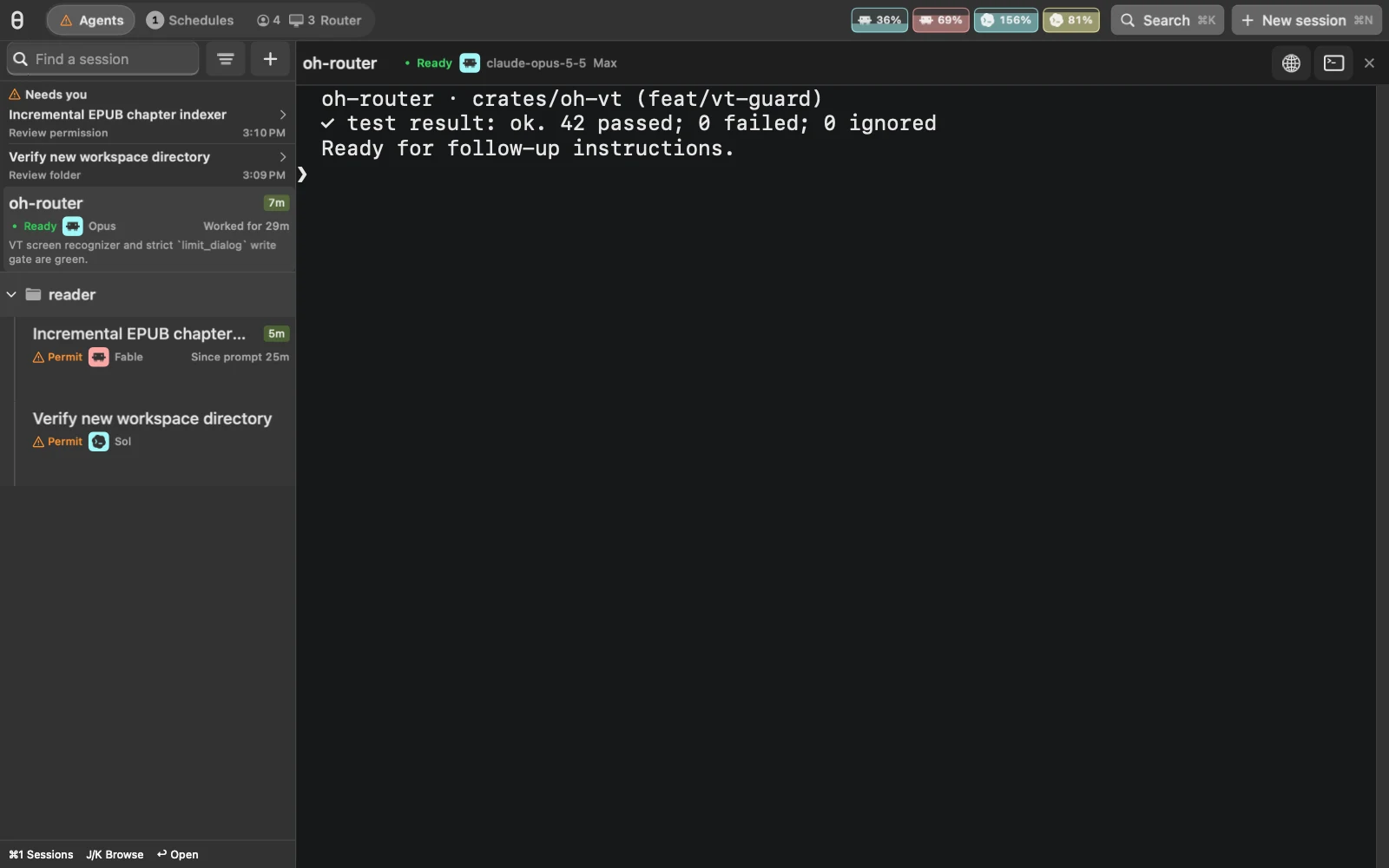
Each session runs in its own background process, apart from the window. Close the window or quit OH and the agent keeps working. When you come back, the Agents workspace (⌘1) opens the live terminal for the selected session. Press ⌘J to switch the terminal layout.
Answer the sessions that need you
When a session asks for permission, waits on a question, reaches a usage limit or fails, OH marks that session as waiting. Open it to read the request. The workspace guide lists the keyboard commands for the current Mac download. A permission prompt also arrives as a notification with Approve and Deny buttons, and the notification for a finished turn has a Reply field that queues your next prompt.
OH reads each session’s terminal screen before it types anything. A prompt you queue waits while a permission dialog is open and goes in once the agent is back at an empty prompt. OH also refuses to type into a dialog that offers paid extra usage, so a queued prompt cannot accept a charge for you.
Reach sessions on another machine
Long builds often run on a Linux workstation or a Mac without a display. Install OH Router there with curl -fsSL https://ohrouter.com/install.sh | sh. On your Mac, press ⌘4 to open the device connections. Choose a quick tunnel for a trial, a named tunnel for a computer you use regularly, or SSH for a remote terminal. The Devices guide gives the steps for the current Mac download and includes a recipe you can copy to a coding agent.
To pair by hand, install cloudflared on the remote machine and run oh-router devices tunnel-start --quick. A quick tunnel gets a temporary trycloudflare.com address and needs no Cloudflare account. Open the pairing form on your Mac and enter that address with the bridge token from ~/.local/state/oh/ohd/bridge.token on the remote machine. OH sends the token only in an Authorization header, and the token cannot open a shell on the remote machine.
Work from one task queue
The Board workspace (⌘2) connects OH to a @vercel/board server. In Connect Board…, choose a temporary local board or connect an existing Vercel team and channel. The Board guide covers the Vercel CLI sign-in and one-time SDK installation. Claim & Route claims a ready task and starts a supervised session with its details. A worker on another machine skips tasks that are already claimed, so two agents do not start the same job.
Let coding agents check on each other
Choose Help → Use with Coding Agents… to install the oh-router command and the OH skill. Claude Code, Codex and Cursor can then list your sessions with oh-router ps --json, read a session’s latest turn with oh-router inspect and queue a follow-up with oh-router steer. Their prompts pass the same screen check as yours. To install the skill from a terminal, run npx skills add hraness/product-skills --skill oh.
On a Linux server, or wherever you would rather work in a terminal, OH Router supervises the same sessions from the command line. The OH documentation covers each workspace and shortcut.